Contents
Reaper Review (2026): Honest Verdict After Years in Production
TL;DR: Reaper is the most capable DAW per dollar available in 2026 — a $60 license buys a professional-grade recording, editing, and mixing environment with near-zero bloat. If you’re serious about home recording and don’t need a preset-heavy ecosystem, this reaper review lands on a clear recommendation: buy it.
What Is Reaper and Who Is It For?
Reaper (Rapid Environment for Audio Production, Engineering, and Recording) is a fully featured, lightweight DAW from Cockos priced at $60 for the discounted license. It handles recording, MIDI, mixing, and mastering on both Mac and Windows with no artificial track limits, no subscription, and no iLok.
 Photo: Egor Komarov via Pexels
Reaper targets producers and engineers who want maximum control without paying the premium attached to Pro Tools, Logic, or Ableton. It’s also the go-to DAW in niche professional workflows — post-production houses, game audio pipelines, and broadcast studios use it for its scripting depth and rock-solid performance. Bedroom producers who outgrow GarageBand or want to avoid subscriptions consistently land here.
The learning curve is real. Reaper ships nearly featureless by default — no built-in loops, no curated preset packs, no hand-holding launcher. What looks sparse is intentional. Every behavior can be customized, scripted, or remapped. That’s a strength to engineers and a wall to beginners who expect drag-and-drop content.
Pricing and Licensing
Reaper costs $60 under the discounted license (for personal use and businesses under $20k annual revenue) or $225 for the full commercial license. There is no subscription. A 60-day fully functional trial is available with no feature restrictions.
 Photo: cottonbro studio via Pexels
Cockos has held this pricing model for over a decade. Unlike every major DAW competitor, there are no tier splits hiding essential features behind a higher SKU. The $60 version and the $225 version are identical software — the distinction is legal, not functional.
The 60-day trial deserves special mention: it’s not crippled, doesn’t watermark exports, and doesn’t nag beyond a splash screen. This is genuinely rare. You can finish a project in the trial period and export it cleanly.
Upgrades between major versions have historically been discounted or free for recent purchasers. Cockos has not moved to a forced-upgrade model.
Performance and System Requirements
Reaper is among the lightest full-featured DAWs available. It runs on systems that would struggle with Pro Tools or Logic — published benchmarks and user reports consistently show lower CPU and RAM usage at comparable plugin loads.
| Spec | Minimum | Recommended |
|---|---|---|
| OS | Windows 7 / macOS 10.5 | Windows 10+ / macOS 12+ |
| RAM | 256 MB | 4 GB+ |
| CPU | Any modern x86/x64/ARM | Quad-core+ |
| Disk | 20 MB install | SSD for sessions |
| GPU | Not required | — |
The install itself is under 20 MB — smaller than most plugin installers. No background services, no kernel extensions on Mac unless you install the optional audio driver. On Apple Silicon, Reaper runs natively; it was one of the first DAWs to ship a universal binary after M1 launched.
For home studios running older hardware or laptops, this performance profile is a real differentiator. A 2017 MacBook Pro running Reaper with a moderate plugin load behaves noticeably better than the same machine running Logic at a comparable session size, according to user benchmarks published on the Cockos forums and r/WeAreTheMusicMakers.
Features: What You Get
Recording and Editing
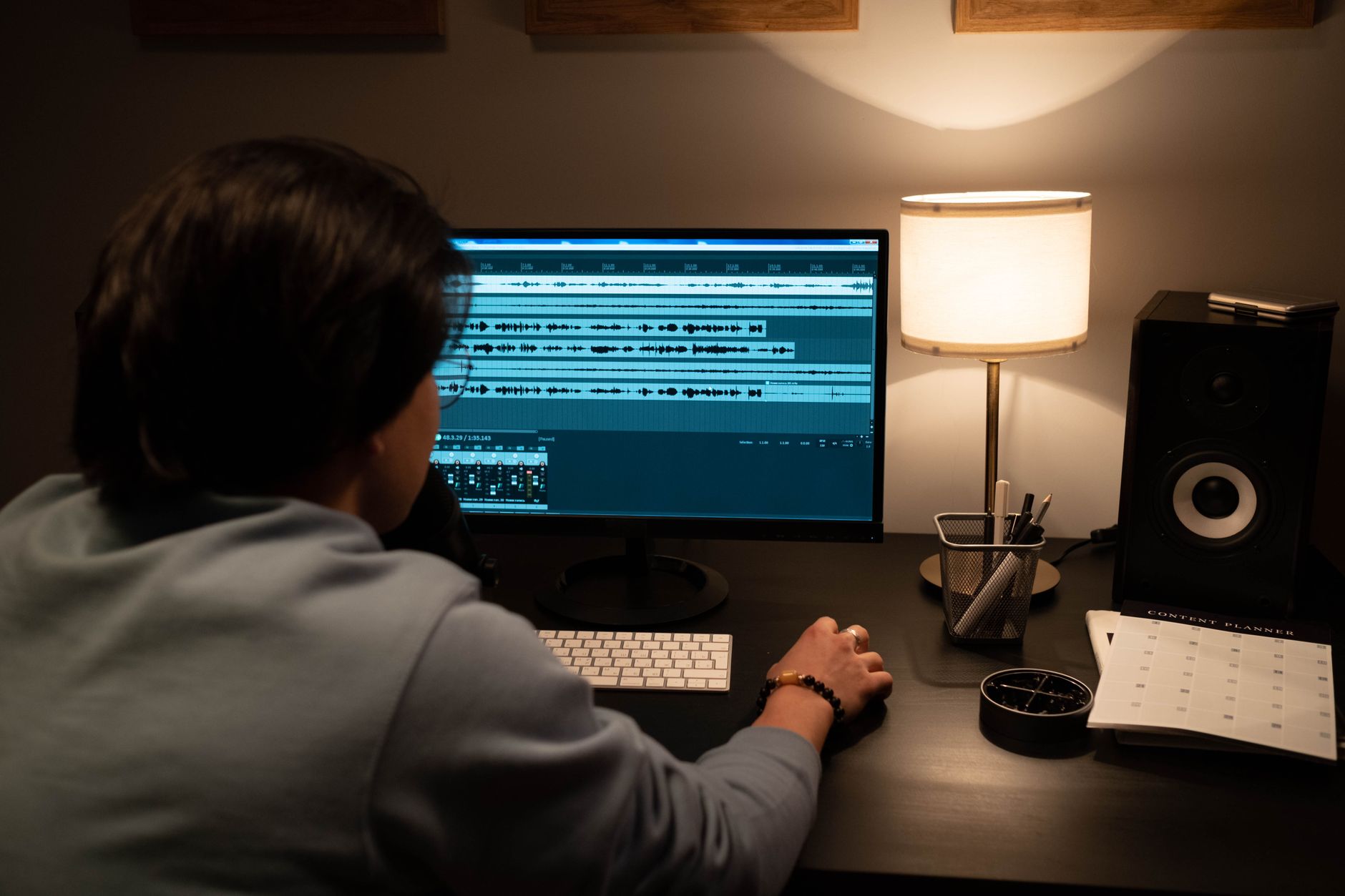
Reaper’s recording engine handles audio and MIDI on unlimited tracks simultaneously. Comping, loop recording, and take management are built-in and robust. The editing toolset is deep enough for professional post-production work.
The comping workflow — record multiple takes, comp the best performance — is implemented cleanly. Takes stack in a lane view, you drag to select the best regions, and Reaper crossfades automatically. This matches or exceeds how Logic and Cubase handle the same task.
MIDI editing is functional but visually dated compared to Ableton’s piano roll or Logic’s. The tools are there — quantize, velocity edit, CC lanes — but the interface won’t feel intuitive coming from those environments. Third-party MIDI editors like Playtime 2 extend it significantly.
 Photo: TUAN HOANG NGUYEN via Pexels
Stretch markers for audio manipulation and the built-in pitch correction (ReaTune) cover most recording-stage needs without reaching for third-party tools.
Mixing and Routing
Reaper’s routing is the most flexible in any DAW at any price. Any track can send to any other track at any point in the signal chain. Parallel compression, complex sidechain setups, and multi-bus workflows that require workarounds in other DAWs are native and visual here.
The mixer follows a clean channel-strip model. FX chains apply per track, and Reaper’s built-in plugin suite (ReaPlugs) covers the essentials — EQ, compression, reverb, delay, saturation, pitch correction — with CPU footprints that won’t tax older systems. ReaEQ and ReaComp are clean, honest processors; they won’t replace high-end analog models but they’re accurate and reliable for everyday work.
Automation is one of Reaper’s genuine strengths. Automation lanes per parameter, multiple automation modes (trim/read/touch/latch/write), and the ability to link parameters across plugins are all present without complex menus.
Customization and Scripting
Reaper is the most scriptable mainstream DAW available. The built-in ReaScript environment supports Lua, Python, and EEL2. The community SWS extension adds hundreds of additional actions. Custom actions let you chain native commands into single key presses or menu entries.
This isn’t a casual feature. For engineers who spend hours in session setup, the ability to script repetitive tasks — batch rename tracks, create standard routing templates, auto-color tracks by type — compounds over time into real productivity gains.
Software Feature Table
| Attribute | Detail |
|---|---|
| Platform | Mac (Intel + Apple Silicon), Windows, experimental Linux |
| Format support | VST2, VST3, AU (Mac), AAX (with third-party bridge), CLAP |
| Price model | One-time purchase ($60 discounted / $225 commercial) |
| System requirements | Windows 7+ / macOS 10.5+; 256 MB RAM minimum |
| Best for | Advanced home studios, post-production, game audio, budget-conscious engineers |
Reaper vs. Competitors
| DAW | Price | Standout Feature | Learning Curve | Verdict |
|---|---|---|---|---|
| Reaper | $60 | Routing depth + scripting | High | Best value, no ceiling |
| Logic Pro | $199 (one-time, Mac only) | Instrument/loop ecosystem | Medium | Better for Mac beginners |
| Ableton Live Intro | $99 | Session View live performance | Medium | Better for electronic/live |
| Pro Tools Artist | $99/yr | Industry standard for studios | High | Better if studio workflow matters |
| Cubase Artist | $149 | MIDI + scoring tools | High | Better for composers |
| Studio One Artist | $99 | Drag-and-drop workflow | Low-Medium | Better for singer-songwriters |
 Photo: TStudio via Pexels
What Reaper Does Poorly
No DAW is universal. Reaper’s weaknesses are worth naming directly:
- No built-in virtual instruments worth mentioning. ReaSamplomatic exists but it’s a basic sampler. If you produce with software synths and need a built-in library, Logic or Ableton wins immediately.
- Default UI is visually sparse. Third-party themes (many free on Stash, Cockos’s community repository) fix this, but it’s friction out of the box.
- No official mobile companion. Ableton and GarageBand have iOS apps. Reaper doesn’t.
- Steep onboarding. The manual is thorough but long. Expert consensus suggests budgeting 10–15 hours to reach comfortable workflow fluency.
→ See also
- Best DAW for Home Recording (2026) — full comparison across every major platform
- Best Free DAW for Beginners (2026) — options before committing to a purchase
- Best DAW for Beginners — workflow-fit guide for new producers
FAQ
Is Reaper good for beginners? Reaper can work for beginners, but it’s not the easiest starting point. The interface requires configuration, and the lack of built-in loops or instruments means beginners need to source their own content. Logic Pro (Mac) or GarageBand are more accessible for first-time producers; Reaper rewards those willing to invest time learning it.
Does Reaper have a free version? There’s no permanent free tier, but the 60-day trial is fully functional with no export restrictions or watermarking. After 60 days, the software continues to work with a splash screen on launch. The $60 discounted license is the expected purchase for personal use.
Is the $60 Reaper license legal? Yes. The discounted license ($60) is legal for personal use and for businesses earning under $20,000 annually from Reaper-based work. Above that threshold, the $225 commercial license applies. Cockos is explicit about this distinction on their purchase page.
Can Reaper run AAX plugins for Pro Tools compatibility? Reaper does not natively support AAX. Third-party solutions like Blue Cat’s PatchWork can bridge some AAX plugins, but this is unsupported and unreliable for production work. If your workflow depends on specific AAX-only plugins, Pro Tools is the appropriate platform.
Does Reaper run on Apple Silicon natively? Yes. Reaper shipped a native Apple Silicon (ARM) build shortly after M1 launched. It runs without Rosetta translation, which means lower CPU usage and better battery life on M-series MacBooks compared to DAWs still running under emulation.
Editorial methodology: Assessments are based on manufacturer specifications, published user reviews, and editorial research. Physical hands-on testing is noted explicitly where it occurred. Rankings reflect our editorial judgment and are not influenced by affiliate commission rates. Full editorial policy · Affiliate disclosure