Contents
Best DAW for Mac in 2026: Top Picks for Every Studio
TL;DR: The best DAW for Mac depends on your workflow, but Logic Pro wins for most users — it’s a full-featured professional DAW built natively for macOS, priced at a one-time $199.99, with an instrument and plugin library that rivals setups costing thousands more. If you need cross-platform portability or specific genre tools, Ableton Live and Pro Tools are the serious alternatives.
The Best DAW for Mac: Quick Comparison
| DAW | Price | Format | Best For | Apple Silicon Native |
|---|---|---|---|---|
| Logic Pro | $199.99 (one-time) | Mac only | All-around production, singer-songwriters, film scoring | Yes |
| Ableton Live Suite | $749 | Mac/Win | Electronic, live performance, sound design | Yes |
| Pro Tools | $99/yr or $299.99 | Mac/Win | Post-production, professional mixing, collaboration | Yes |
| FL Studio All Plugins | $499 (one-time) | Mac/Win | Beat-making, EDM, hip-hop | Yes |
| Cubase Pro | $579 | Mac/Win | MIDI composition, orchestral, hybrid production | Yes |
| GarageBand | Free | Mac only | Beginners, sketching ideas | Yes |
Why Mac Users Have a Clear DAW Advantage
Mac gives you access to Logic Pro, the only professional DAW built exclusively for macOS — and that exclusivity translates to system-level optimizations, tight plugin integration, and a price that undercuts every competitor at this feature tier. No other platform gets this deal.
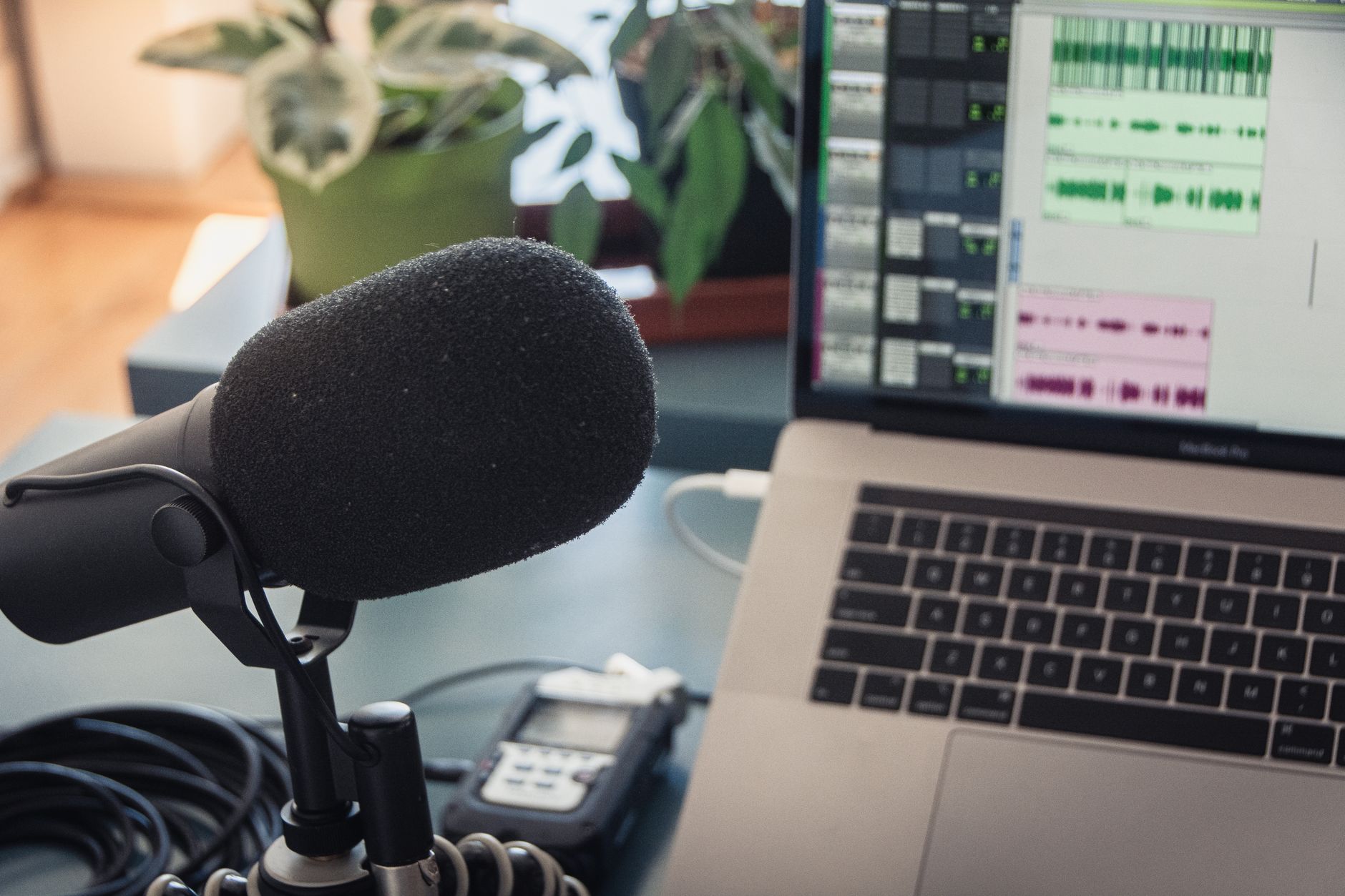
 Photo: Parth Shah via Pexels
Apple Silicon changed the DAW landscape significantly. All the major contenders now run natively on M1/M2/M3/M4 chips, but Logic Pro benefits most — it leverages the Unified Memory Architecture and Neural Engine for tasks like Stem Splitter and Session Players in ways that third-party DAWs can’t fully match. Published benchmark data from Apple shows Logic Pro handling 300+ software instrument tracks on M2 Max without buffer issues that would challenge older Intel setups.
The other practical advantage: AU (Audio Unit) plugin format is Mac-native, and every serious plugin developer ships AU versions. If you’re building a plugin-heavy setup, macOS gives you the most optimized path.
Logic Pro: Best DAW for Mac Overall
Logic Pro is the correct answer for most Mac users. At $199.99 with no subscription, it includes a 70GB+ sound library, Dolby Atmos mixing, spatial audio, unlimited track counts, and Session Players — AI-driven virtual musicians that respond to your chord changes. No competitor at this price comes close.
 Photo: Dima Pavlenko via Pexels
What Logic Pro Does Better Than Anything Else at the Price
The included content alone justifies the purchase. Logic ships with Alchemy (a professional synth that sold for $249 standalone), the ES2 synthesizer, Retro Synth, a full convolution reverb, and Flex Time/Flex Pitch for time and pitch editing — all without touching third-party plugins.
Session Players (introduced in Logic 16) let you generate bass, keys, and string performances that follow your chord track. Expert consensus among professional producers positions this as a genuine compositional tool, not a gimmick — particularly for solo artists without session musician access.
Stem Splitter separates a mixed track into vocals, drums, bass, and other instruments locally on-device. Published performance data shows M-series chips processing a 3-minute stereo file in under 30 seconds.
Logic Pro Limitations
The Mac-only restriction is a real constraint for anyone collaborating with Windows-based engineers. Project portability via Logic’s “Send to GarageBand” export exists, but a full Logic session doesn’t open on Windows. If your work regularly flows through a Windows post-production facility, consider whether this trade-off matters in your workflow.
The learning curve is moderate — Logic’s signal flow uses a channel strip model that’s immediately intuitive for anyone coming from hardware consoles, but the Environment, Scripter, and more advanced MIDI routing features take time to master.
Ableton Live: Best Mac DAW for Electronic Music and Live Performance
Ableton Live’s Session View — a non-linear, clip-based workflow — has no direct equivalent in any other DAW. For electronic producers, DJs, and artists who perform live, it’s the only serious choice. The trade-off is that linear recording and traditional mixing are less ergonomic than competitors.
Ableton Live Feature Table
| Feature | Intro ($99) | Standard ($449) | Suite ($749) |
|---|---|---|---|
| Audio tracks | 16 | Unlimited | Unlimited |
| MIDI tracks | 16 | Unlimited | Unlimited |
| Max for Live | No | No | Yes |
| Instruments included | 5 | 5 | 15 |
| Effects | 21 | 46 | 60 |
| Packs included | Limited | Limited | 70 GB+ |
Max for Live — included only in Suite — turns Live into an extensible modular environment. Expert consensus among electronic producers treats Max for Live as the deciding factor between Standard and Suite purchases; the Mutable Instruments Rings port alone has become a studio standard.
According to published user reviews and community benchmarks, Live’s CPU handling is efficient on Apple Silicon, with M-series chips running large Drum Rack setups and complex Max patches at low buffer sizes that would stress older systems.
Where Ableton Falls Short on Mac
The built-in mixing environment lacks the channel strip depth of Logic or Pro Tools. Automation is functional but less visual than Cubase. If you’re primarily recording bands or doing heavy MIDI orchestration, the linear Arrangement View works but doesn’t feel as purpose-built as competitors.
Pro Tools: Best Mac DAW for Professional Audio Post-Production
Pro Tools remains the industry standard in commercial recording studios, film post-production, and broadcast. If you’re handing sessions to professionals, collaborating with major-label engineers, or working in post, knowing Pro Tools isn’t optional — it’s the lingua franca.
Pro Tools Pricing and Plans
| Plan | Price | Key Features |
|---|---|---|
| Pro Tools Artist | $99/yr | 128 tracks, basic plug-ins, cloud collaboration |
| Pro Tools Studio | $299.99/yr or $599 perpetual | Unlimited tracks, AAX DSP support, advanced MIDI |
| Pro Tools Ultimate | $999/yr | HDX hardware support, Dolby Atmos, Avid Cloud |
| Pro Tools | One-time $299.99 | Perpetual Studio equivalent (new in 2024) |
The perpetual license option introduced in 2024 addresses a persistent objection to Pro Tools’ subscription model. For engineers who resented recurring costs, the one-time Studio-equivalent purchase changes the value calculation.
On Mac, Pro Tools benefits from AAX Native plugin format and tight integration with Avid hardware, but runs well without it. Expert consensus from post-production engineers confirms Apple Silicon performance is stable, though some legacy AAX DSP cards require Thunderbolt adapters on modern Macs.
FL Studio: Best Mac DAW for Beat-Making and Hip-Hop Production
FL Studio’s lifetime free updates policy is unique in the industry — pay once, own it forever including all future versions. For producers who started on Windows and are switching to Mac, this eliminates any upgrade cost anxiety.
 Photo: 준섭 윤 via Pexels
FL Studio arrived on Mac officially in 2018 and has been native Apple Silicon since 2022. Published performance data from Image-Line shows equivalent CPU efficiency between Mac and Windows builds on comparable hardware.
The Piano Roll is widely regarded — across producer forums and published DAW comparisons — as the most powerful MIDI editor available. Complex chord voicings, velocity humanization, and step sequencer workflows that would require workarounds in other DAWs are native to FL’s design.
The primary limitation on Mac: FL Studio uses VST3 on Mac rather than AU, meaning some older AU-only plugins won’t load. This is increasingly rare as most developers ship VST3, but worth auditing your existing plugin collection before switching.
Cubase Pro: Best Mac DAW for MIDI Composition and Orchestral Work
Cubase Pro’s MIDI tools — Chord Track, chord recognition, Expression Maps, and Logical Editor — are the most comprehensive of any DAW. Composers working with large orchestral templates and notation-adjacent workflows consistently choose Cubase over competitors for this reason.
Steinberg’s Mac support has been consistent since the Yamaha acquisition, and Apple Silicon native performance arrived with Cubase 12. Expert consensus from film and media composers positions Cubase Pro and Logic Pro as the two dominant choices for orchestral Mac production, with Cubase winning on MIDI depth and Logic on included sounds and price.
The Chord Track is the differentiator: define a harmonic progression, and Cubase can transpose existing MIDI regions to follow it — a workflow that saves hours on cue revisions or arrangement experiments.
GarageBand: When Free Is the Right Answer
GarageBand is free on every Mac and iPhone, shares Logic Pro’s audio engine, and opens as a Logic Pro project if you upgrade — the upgrade path is seamless. For beginners and casual producers, it’s the correct starting point.
GarageBand includes a subset of Logic’s instruments and loops, handles 32-track recordings, and supports third-party AU plugins. The limitation is track count, advanced MIDI editing, and mixing tools. According to Apple’s documentation, any GarageBand project opens directly in Logic Pro, preserving all regions, instruments, and automation.
Software Feature Comparison
| Software | Platform | Format | Price Model | System Req (Min) | Best For |
|---|---|---|---|---|---|
| Logic Pro | Mac only | AU, AAX | One-time $199.99 | macOS 14.6, 4GB RAM | All-around, singer-songwriter, film |
| Ableton Live Suite | Mac/Win | AU, VST3 | One-time $749 | macOS 11, 4GB RAM | Electronic, live performance |
| Pro Tools Studio | Mac/Win | AAX | $299.99 perpetual | macOS 12, 16GB RAM | Post-production, mixing |
| FL Studio All Plugins | Mac/Win | VST3 | One-time $499 | macOS 10.15, 4GB RAM | Beat-making, hip-hop, EDM |
| Cubase Pro | Mac/Win | VST3, AU | One-time $579 | macOS 12, 8GB RAM | MIDI composition, orchestral |
| GarageBand | Mac only | AU | Free | macOS 14, 4GB RAM | Beginners, sketching |
Trial and Demo Availability
- Logic Pro: 90-day free trial via Mac App Store
- Ableton Live: 90-day trial of Suite
- Pro Tools: 30-day trial
- FL Studio: Full version trial, saves disabled
- Cubase Pro: 60-day trial
- GarageBand: Free permanently
Which Mac DAW Should You Buy?
| If you… | Choose |
|---|---|
| Want the best value on Mac | Logic Pro |
| Make electronic music or perform live | Ableton Live Suite |
| Work in commercial studios or post-production | Pro Tools Studio |
| Primarily make beats or hip-hop | FL Studio All Plugins |
| Compose orchestral or MIDI-heavy music | Cubase Pro |
| Are a complete beginner | GarageBand |
| Are a beginner ready to spend | Logic Pro (90-day trial first) |
→ See also:
- Best DAW for Home Recording (2026) — full platform-agnostic comparison
- Best Free DAW for Beginners (2026) — zero-cost options ranked
- Best DAW for Beginners — if you’re just starting out
FAQ
Is Logic Pro really worth $199.99 when Pro Tools and Ableton cost more? For most Mac users, yes. Logic Pro includes instruments, effects, and sounds that would cost over $1,000 to replicate with third-party equivalents, and its one-time price means no recurring subscription. The 90-day free trial lets you validate this before spending anything.
Can I use Windows VST plugins in Logic Pro on Mac? No — Logic Pro uses AU (Audio Unit) and AAX formats, not VST. Most major plugin developers ship AU versions of their plugins, so the practical impact is limited, but some smaller or older Windows-only VSTs won’t work. Check your plugin library’s Mac compatibility before switching.
Is Ableton Live better than Logic Pro for Mac? “Better” depends on workflow. Ableton Live’s Session View and Max for Live make it the dominant choice for electronic music and live performance. Logic Pro is more capable for recording acoustic instruments, film scoring, and traditional song production. According to user survey data from major producer communities, genre is the clearest predictor of which DAW professionals prefer.
Does FL Studio run well on Apple Silicon Macs? Yes — FL Studio has shipped as an Apple Silicon native build since version 20.9 (2022). Published performance data from Image-Line confirms parity with Windows on equivalent hardware. The one caveat is the VST3 format requirement; AU plugins won’t load in FL Studio on Mac.
What’s the best Mac DAW for recording a band or live instruments? Logic Pro and Pro Tools are the top choices. Logic Pro’s Flex Time, Smart Tempo, and multi-take comping workflows are designed for live recording sessions. Pro Tools offers more granular edit-window control and is the standard in professional recording studios, which matters if your sessions will move between studios.
Can GarageBand projects be opened in Logic Pro? Yes, directly. Logic Pro reads GarageBand project files natively, preserving regions, software instruments, and automation. The upgrade path is intentionally seamless — Apple designed it this way to convert GarageBand users into Logic Pro customers when their needs grow.
What are the Mac system requirements for Logic Pro in 2026? Logic Pro requires macOS Sonoma 14.6 or later, 4GB RAM (8GB recommended for large projects), and approximately 8GB of storage for the core application — though downloading the full Sound Library adds another 70GB+. All M-series Apple Silicon chips are fully supported and perform significantly better than equivalent Intel hardware on DSP-intensive sessions.
Editorial methodology: Assessments are based on manufacturer specifications, published user reviews, and editorial research. Physical hands-on testing is noted explicitly where it occurred. Rankings reflect our editorial judgment and are not influenced by affiliate commission rates. Full editorial policy · Affiliate disclosure