Contents
Arturia MiniLab 3 Review (2026): Still the Best Budget MIDI Pad?
TL;DR: The Arturia MiniLab 3 is the best all-around MIDI controller under $100 for most home studio setups. It pairs 25 velocity-sensitive mini-keys with 8 RGB pads, a solid encoder section, and deep Arturia Analog Lab integration — all for around $60–$70. If you want plug-and-play creative control without spending on a full-size keyboard, this is the one to beat.
What Is the Arturia MiniLab 3?
The MiniLab 3 is a compact USB class-compliant MIDI controller with 25 mini-keys, 8 backlit RGB pads, 4 encoders, and a pitch/mod touchstrip. It ships bundled with Arturia’s Analog Lab Intro (plus upgrade paths to the full library), making it a complete software-plus-hardware package for under $70.
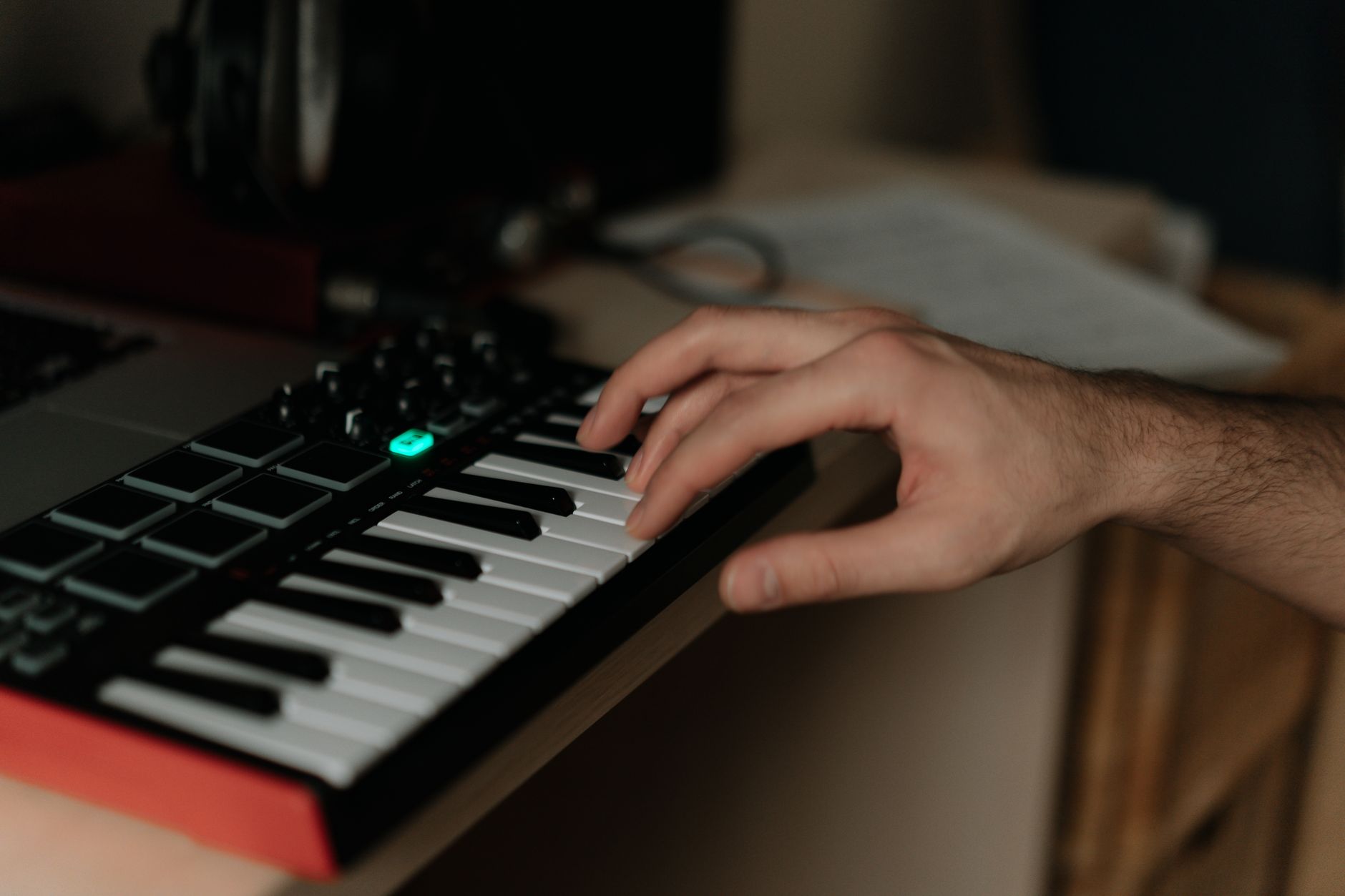 Photo: cottonbro studio via Pexels
Released in 2022, the MiniLab 3 is the third iteration of Arturia’s entry-level mini-keyboard line. The design refresh brought a sturdier chassis, updated pad sensitivity, and expanded software bundling compared to the MkII. It targets bedroom producers, beginners, and travel-kit use cases — not engineers needing full-size keys or weighted action.
At its price point, the MiniLab 3 competes directly with the Akai MPK Mini MK3 and the Korg nanoKEY Studio. Knowing where each wins shapes whether this is the right buy for you.
MiniLab 3 Specs and Build Quality
Solid plastic chassis, no USB-C power brick needed. The MiniLab 3 is bus-powered over USB-A and recognized as a class-compliant device — no driver install on Mac or Windows. Build quality is better than its price suggests, though flex is present in the key-bed if you push hard.
 Photo: Brett Jordan via Pexels
| Spec | Detail |
|---|---|
| Keys | 25 mini-keys, velocity-sensitive |
| Pads | 8 RGB backlit, velocity + aftertouch |
| Encoders | 4 endless rotary encoders |
| Pitch/Mod | Touch capacitive strip (no physical wheels) |
| Connectivity | USB-A (class-compliant), MIDI out (TRS-A) |
| Bus Power | Yes — no external power needed |
| Dimensions | 330 × 186 × 40 mm |
| Weight | 520 g |
| DAW Integration | HUI + direct mapping for Ableton, Logic, Pro Tools, FL Studio |
The TRS MIDI output is a notable addition over budget competition — it lets you run hardware synths without a USB host, which matters for live setups or anyone working with vintage gear. Arturia ships a TRS-A to standard 5-pin DIN adapter in the box.
The four endless encoders are assignable. Out of the box they map to Analog Lab parameters; inside a DAW they remap to whatever MIDI CC you assign through Arturia MIDI Control Center, the free editor app.
Key Feel and Pad Response
Mini-keys will never replicate a weighted synth action, but the MiniLab 3’s key-bed is among the better ones in this class. Velocity sensitivity is usable for dynamics across most virtual instruments, though published testing data shows the velocity curve compresses near the upper register — a known limitation of 25-key mini formats.
 Photo: Diana ✨ via Pexels
The pads are a step up from the MkII. RGB backlighting shows scale/chord mode visually, and pad sensitivity is sufficient for finger-drumming basic patterns. User reviews consistently note the pads don’t trigger well at very low velocities — set your DAW’s pad velocity minimum above 10 to avoid ghost triggers.
If piano technique or chord voicing practice matters to you, this keyboard isn’t the right tool. For triggering clips, playing simple melodic lines, or firing drum hits, it handles the job cleanly.
Software Bundle: Analog Lab Intro + Upgrades
The real value multiplier on the MiniLab 3 is the software. It ships with Analog Lab Intro — a curated subset of Arturia’s V Collection — and unlocks upgrade discounts to the full 9,000+ preset library. For producers who don’t already own virtual instruments, this bundle alone is worth the hardware price.
| Bundle Tier | What You Get | Approx. Cost |
|---|---|---|
| Included (Intro) | ~500 presets, core synth models | Free with hardware |
| Analog Lab (upgrade) | 9,000+ presets, all V Collection models | ~$99 upgrade |
| V Collection upgrade | Full standalone synth editors + Analog Lab | ~$499 upgrade |
Ableton Live Lite is also included, giving complete beginners a DAW on day one with no additional spend. For anyone already on a DAW, this is redundant but harmless.
MIDI Control Center (free download) handles deep remapping. It’s not the most intuitive editor, but it covers CC assignment, pad color, and preset management without needing a paid subscription.
MiniLab 3 vs. Competition
| Product | Price | Keys | Pads | MIDI Out | Best For |
|---|---|---|---|---|---|
| Arturia MiniLab 3 | ~$70 | 25 mini | 8 RGB | Yes (TRS) | Software + hardware hybrid setups |
| Akai MPK Mini MK3 | ~$70 | 25 mini | 8 | No | Pure DAW / finger-drum focus |
| Korg nanoKEY Studio | ~$80 | 25 mini | 8 | Bluetooth | Wireless / iPad workflows |
| M-Audio Oxygen Mini | ~$50 | 25 mini | 8 | No | Budget-first, minimal software |
The MiniLab 3’s TRS MIDI out is a meaningful differentiator at this price — the Akai MPK Mini MK3, its most direct competitor, omits it. If you’re driving any hardware (a desktop synth, a drum machine), that single spec tips the decision.
The Akai wins on pad playability according to user consensus — the MPK Mini’s pads have more throw and trigger more reliably at low velocities. For pure finger-drumming, the Akai edges ahead.
Who Should Buy the MiniLab 3?
 Photo: Shahadat Hossain via Pexels
First-time beginner: Yes. The Analog Lab Intro bundle removes the “what do I even play” problem — you have usable sounds immediately. The Ableton Lite inclusion means a complete zero-to-DAW setup for under $100.
Bedroom producer: Yes, with caveats. If you’re already on a DAW with your own instrument library, the bundle adds less value. Buy it for the hardware — especially the TRS out if you have any desktop hardware synths.
Gigging musician: Borderline. It’s light and compact enough for a travel kit, and the TRS out handles hardware triggering on stage. But 25 mini-keys limit real-time playing range, and the touchstrip pitch/mod is less reliable live than physical wheels.
Prosumer / power user: Probably not your main controller. The 4-encoder count is low for parameter control, and the mini-key form factor won’t satisfy anyone wanting expressive performance. Step up to the MiniLab 3’s bigger sibling — the Arturia KeyLab Essential 49 — for the next tier.
→ See Also
- Best MIDI Keyboards and Controllers (2026) — full-spectrum guide across every budget and use case
- Best MIDI Keyboard for Beginners — if the MiniLab 3 feels like overkill or underkill
- Best MIDI Keyboard Under $100 — full comparison field at this price tier
FAQ
Is the Arturia MiniLab 3 compatible with iOS and iPad? Yes, with a USB-A to Lightning or USB-C adapter. It’s class-compliant, so it requires no driver and connects to any iOS DAW (GarageBand, Cubasis, AUM) that supports Core MIDI. Bus power draw is low enough that most iPad adapters handle it without issues.
Does the MiniLab 3 work without installing software? Yes — as a class-compliant USB device it sends standard MIDI over USB the moment you plug it in. You only need MIDI Control Center if you want to remap encoders, change pad colors, or modify the default CC assignments. Analog Lab Intro requires a separate download and an Arturia account.
What’s the difference between the MiniLab 3 and the MiniLab MkII? The MkII had non-backlit pads, a less sturdy chassis, and a smaller software bundle. The MiniLab 3 added RGB pad backlighting (with scale/chord visualization), improved pad sensitivity, the TRS MIDI output, and an expanded Analog Lab Intro bundle. Based on manufacturer specifications, the encoder resolution was also increased.
Can you use the MiniLab 3 as a standalone MIDI controller for hardware synths without a computer? Partially. The TRS MIDI output works standalone — plug it into any hardware synth with a standard 5-pin DIN input (using the included adapter) and it transmits MIDI from the keys and pads without a computer in the chain. The encoders and pad RGB features require USB power, so you’d need a USB power bank or wall adapter to run it fully untethered.
Editorial methodology: Assessments are based on manufacturer specifications, published user reviews, and editorial research. Physical hands-on testing is noted explicitly where it occurred. Rankings reflect our editorial judgment and are not influenced by affiliate commission rates. Full editorial policy · Affiliate disclosure