Contents
Best Audio Interface Under $200: Top Picks for 2026
TL;DR: The best audio interface under $200 is the Focusrite Scarlett Solo (4th Gen) for most people — it delivers transparent preamps, solid 24-bit/192kHz conversion, and plug-and-play USB-C in a sub-$120 package. If you need two simultaneous inputs or better headphone monitoring, the Scarlett 2i2 (4th Gen) and PreSonus AudioBox USB 96 are the strongest alternatives at this price. Every option on this list performs well above its price point.
Why Your Interface Choice Matters More Than Your Mic
Direct Answer: At the sub-$200 price point, the interface is often the weakest link in a home studio — not the microphone. A clean preamp and accurate A/D conversion determine whether your recordings sound professional or like they were made in a closet. The good news: the best audio interfaces under $200 have closed most of the gap with mid-range gear over the past three years.
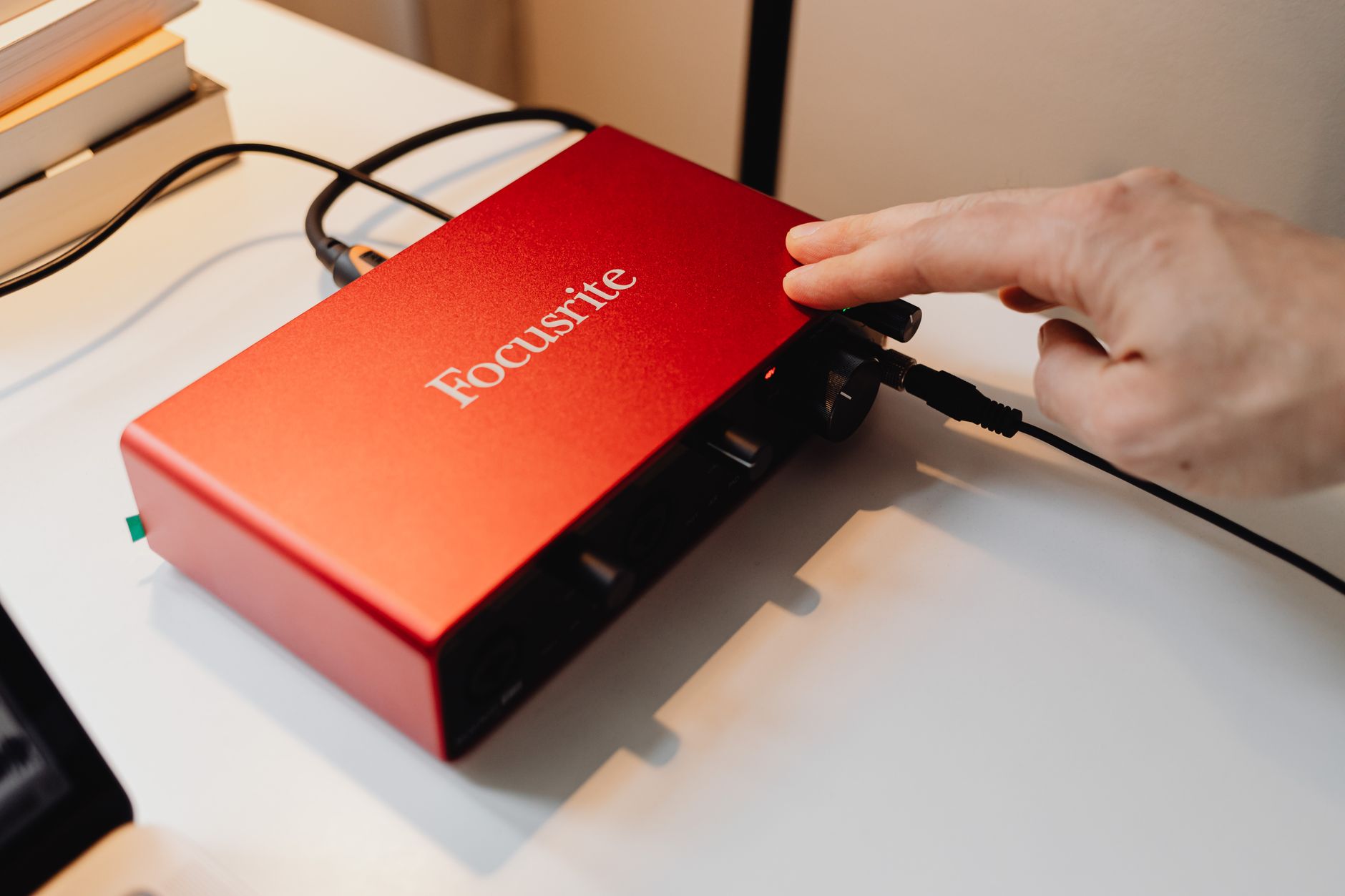 Photo: https://kaboompics.com/ via Pexels
The preamp is the first thing your signal hits before it’s digitized. At this budget, you’re primarily choosing between:
- Transformer-balanced designs (warmer, slight color)
- Clean solid-state preamps (transparent, accurate)
For home recording, transparent usually wins. You can add character in the box; you can’t remove mud baked in at the preamp stage.
Bit depth and sample rate matter less than marketing implies. 24-bit/48kHz is sufficient for virtually all home recording. 192kHz support is a checkbox you’ll rarely use — it doubles file size and CPU load for imperceptible audible difference at mixdown. Focus on dynamic range (measured in dB) and equivalent input noise (EIN) specs instead.
Bus power vs. dedicated power supply is a real-world consideration. Bus-powered interfaces draw from your USB port. On a laptop with a power-hungry GPU, you may get audible noise. If you’re on a dedicated recording machine, it’s rarely an issue.
The Best Audio Interface Under $200: Reviewed
Focusrite Scarlett Solo (4th Gen) — Best Overall
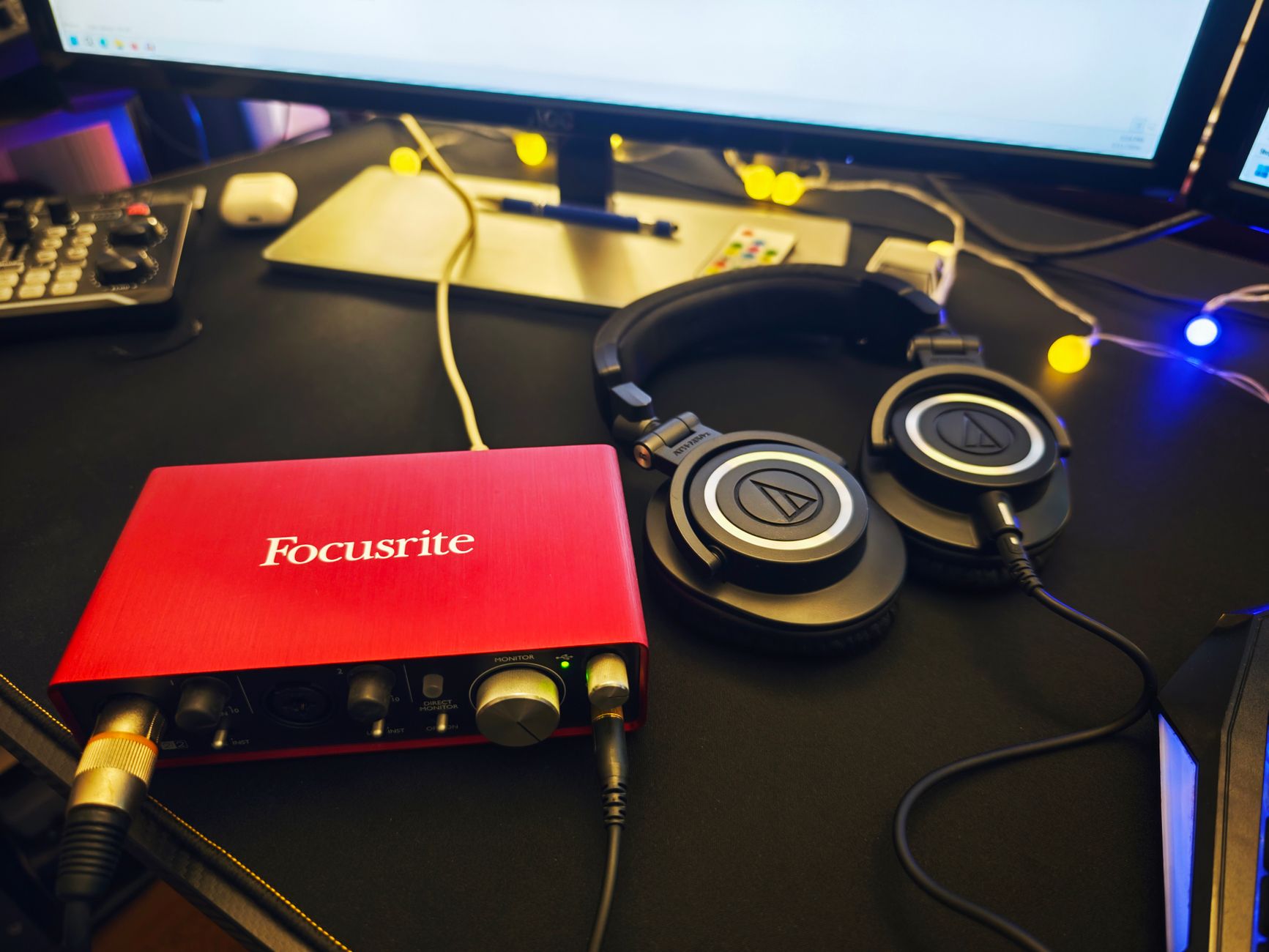
Direct Answer: The Scarlett Solo is the best audio interface under $200 for solo performers, podcasters, and bedroom producers who record one source at a time. The 4th Gen update brought a redesigned preamp with Air mode — a high-pass shelving filter that adds presence without harshness — and improved headphone output power. Street price sits around $110–$120, leaving budget headroom for other gear.
 Photo: James Collington via Pexels
Specs Table
| Spec | Detail |
|---|---|
| Connections | USB-C |
| I/O Count | 1× XLR/TRS combo, 1× TS instrument, 1× headphone, 1× monitor out (L/R) |
| Preamps | 1× Scarlett 4th Gen (Air mode) |
| Bit Depth / Sample Rate | 24-bit / 192kHz |
| Bus Power | Yes |
| Best For | Solo vocalists, podcasters, guitarists, beginner producers |
Air Mode engages a high-frequency lift modeled loosely on ISA transformer behavior. According to Focusrite’s published specs and widespread user consensus, it adds approximately 3–5dB of air above 3kHz. Use it on acoustic guitar and vocals; bypass it on bass and kick.
The instrument input (Hi-Z, front panel) is genuinely useful — it accepts guitar and bass direct without the impedance mismatch you’d get from plugging into a line input. Published EIN for the preamp is around -129dBu, which is competitive at this price.
Bundled software includes Ableton Live Lite, Pro Tools Artist (3-month trial), and Focusrite’s plugin pack. Practically speaking, if you’re just starting out, you won’t need to buy a DAW.
Verdict by Archetype
- First-time beginner: Best choice. Zero driver headaches on Mac/Windows, clear gain structure.
- Bedroom producer: Excellent if you record one source at a time. The single combo input is the only real limitation.
- Gigging musician: Acceptable for home demos, but the 1-input limitation hurts live capture.
- Prosumer: Look at the 2i2 or step up to the Focusrite Scarlett 4i4.
Focusrite Scarlett 2i2 (4th Gen) — Best for Two Inputs
Direct Answer: The 2i2 is the right choice if you need two simultaneous inputs — vocals plus guitar, two microphones for room recording, or a stereo keyboard. At around $160–$170, it adds a second combo preamp, independent gain controls, and meaningfully better headphone output power over the Solo.
 Photo: TStudio via Pexels
Specs Table
| Spec | Detail |
|---|---|
| Connections | USB-C |
| I/O Count | 2× XLR/TRS combo, 1× headphone, 1× monitor out (L/R) |
| Preamps | 2× Scarlett 4th Gen (Air mode on both) |
| Bit Depth / Sample Rate | 24-bit / 192kHz |
| Bus Power | Yes |
| Best For | Duets, singer-guitarists, stereo recording, podcasts with two hosts |
The 4th Gen headphone amp is a notable improvement over 3rd Gen — published output power is higher, which matters if you’re using high-impedance headphones like the Beyerdynamic DT 770 Pro (80Ω or 250Ω). Lower-impedance cans (Sony MDR-7506, AKG K240) drive fine from either generation.
The auto-gain feature is genuinely useful for beginners: hold both gain knobs simultaneously and the interface runs a 10-second signal test and sets optimal gain levels. It removes one of the most common beginner errors.
Both preamps share the same Air mode and EIN spec as the Solo. The stereo direct monitor mix (zero-latency hardware monitoring) is practical for tracking vocals without software roundtrip delay.
PreSonus AudioBox USB 96 — Best Budget Alternative
Direct Answer: At around $100, the PreSonus AudioBox USB 96 is the strongest non-Scarlett option at this price. It’s more utilitarian than the Scarlett — no Air mode, less polished software bundle — but the preamps are clean, it’s built like a tank, and it comes bundled with Studio One Artist, which is a fully capable DAW at no extra cost.
Specs Table
| Spec | Detail |
|---|---|
| Connections | USB 2.0 (Type-B) |
| I/O Count | 2× XLR/TRS combo, 2× TRS line out, 1× headphone |
| Preamps | 2× XMAX-L solid-state |
| Bit Depth / Sample Rate | 24-bit / 96kHz |
| Bus Power | Yes |
| Best For | Studio One users, budget-conscious beginners, educators |
The XMAX-L preamps are a simplified version of PreSonus’s XMAX circuit found in higher-end gear. Expert consensus from multiple engineering forums positions them as slightly warmer than the Scarlett at equivalent gain settings — neither is wrong, it’s a preference.
The USB-B connector is older technology, but it’s not a functional limitation. The build quality — metal chassis, recessed knobs — is notably better than the Scarlett Solo’s plastic housing.
96kHz ceiling (vs. 192kHz on Scarlett) is the only meaningful spec difference. For home recording of music, it’s irrelevant. Audio for video at 48kHz or music at 44.1kHz/48kHz — both well within spec.
SSL 2 — Best Preamp Quality Under $200
Direct Answer: The SSL 2 offers the best preamp quality available under $200. Solid State Logic’s 4K Heritage preamp circuit, derived from their console lineage, delivers a level of transparency and headroom that other interfaces at this price can’t match. Street price is around $150–$180.
 Photo: Alexis Emanuel Salinas via Pexels
Specs Table
| Spec | Detail |
|---|---|
| Connections | USB-C |
| I/O Count | 2× XLR/TRS combo, 1× stereo headphone, 1× stereo monitor out |
| Preamps | 2× SSL 4K Heritage |
| Bit Depth / Sample Rate | 24-bit / 192kHz |
| Bus Power | Yes |
| Best For | Vocalists, acoustic instruments, anyone prioritizing preamp quality |
The 4K Legacy button (also called “4K mode” in some documentation) engages a subtle harmonic saturation characteristic of the SSL 4000 console’s summing bus. Published testing data and producer reviews consistently describe it as adding “glue” and “warmth” without muddiness — useful on mix buses and during tracking.
The headphone output is notably powerful — manufacturer specs list output impedance and level that drive high-impedance cans well. The monitoring section includes a mono sum button, which is practical for checking mono compatibility.
Limitation: The bundled software is thinner than Focusrite’s or PreSonus’s packages. If you don’t already own a DAW, factor that into the total cost.
MOTU M2 — Best for Low Latency and Metering
Direct Answer: The MOTU M2 is the most technically capable interface under $200, with class-leading round-trip latency, accurate level meters with clip indicators, and 32-bit float support for mixing (not tracking). At around $170–$190, it’s the right choice for producers who care about technical specs and workflow.
Specs Table
| Spec | Detail |
|---|---|
| Connections | USB-C |
| I/O Count | 2× XLR/TRS combo, 2× TRS line out, 1× headphone, loopback |
| Preamps | 2× MOTU discrete solid-state |
| Bit Depth / Sample Rate | 32-bit float / 192kHz |
| Bus Power | Yes |
| Best For | Producers, streamers, podcasters needing low latency and metering |
The front-panel meters — six-segment LED arrays with clip indicators per channel — are something no other interface at this price offers. For gain staging, this is genuinely useful. Clipping is the fastest way to ruin a take; visible metering prevents it.
Published round-trip latency figures for the M2 are among the lowest measured at this price tier. If you’re tracking with software monitoring (rather than hardware direct monitoring), that difference is audible.
Loopback functionality (routing DAW output back as a recording input) is practical for streaming and screen recording without additional hardware.
Full Comparison Table
| Product | Price | Key Spec | I/O | Best For | Verdict |
|---|---|---|---|---|---|
| Focusrite Scarlett Solo 4th Gen | ~$120 | Air mode, -129dBu EIN | 1 in / 2 out | Solo performers, beginners | Best overall |
| Focusrite Scarlett 2i2 4th Gen | ~$170 | 2 preamps, auto-gain | 2 in / 2 out | Duets, singer-guitarists | Best two-input |
| PreSonus AudioBox USB 96 | ~$100 | XMAX-L, Studio One bundled | 2 in / 2 out | Budget, DAW-inclusive | Best value |
| SSL 2 | ~$170 | 4K Heritage preamps | 2 in / 2 out | Preamp quality priority | Best preamps |
| MOTU M2 | ~$180 | 32-bit float, low latency | 2 in / 2 out | Tech-focused producers | Best specs |
What to Look For in an Audio Interface Under $200
Direct Answer: Prioritize preamp quality (EIN and dynamic range), connection count that matches your workflow, and driver stability on your OS. Sample rate above 96kHz and bundled plugins are secondary considerations for most home recording scenarios.
 Photo: RDNE Stock project via Pexels
Inputs: How Many Do You Actually Need?
One combo input covers:
- Solo vocals
- Single guitar or bass (direct or mic’d amp)
- Podcast solo host
- Mono keyboard
Two inputs cover:
- Vocals + guitar simultaneously
- Two mics on an acoustic guitar (stereo pair or mid-side)
- Two-person podcast
- Stereo keyboard or synth
More than two inputs push you above $200 — the Focusrite Scarlett 4i4 is the natural next step at around $250.
Direct Monitoring vs. Software Monitoring
Direct monitoring routes your input signal directly to your headphone output in hardware, bypassing the computer entirely. Zero latency. Use this for tracking vocals and instruments.
Software monitoring routes through the DAW — useful for monitoring with plugins (reverb, compression in your headphones), but adds roundtrip latency. At 96kHz with a low buffer size, this can be 5–10ms. Perceptible to most singers.
Every interface on this list supports direct monitoring. The MOTU M2 has the best software monitoring performance if you need to track with effects.
Driver Support: Windows vs. Mac vs. Linux
All five interfaces listed are class-compliant on macOS (no driver installation needed). On Windows, Focusrite and MOTU provide robust ASIO drivers. PreSonus’s driver history has been more variable — check current user reviews for your specific Windows version.
Linux support: class-compliant USB audio generally works on Linux without drivers. For ASIO-equivalent performance, JACK Audio is the standard solution.
→ See Also
- Best Audio Interfaces: The Complete Buyer’s Guide (2026) — full tier breakdown from budget to pro
- Best Audio Interface for Beginners (2026) — if you’re just starting out and want more context
- Best Audio Interface Under $100 — tighter budget options
FAQ
Is a $200 audio interface good enough for professional recordings? Yes, in most contexts. The preamps on the Scarlett 2i2, SSL 2, and MOTU M2 are transparent enough that they’re not the limiting factor in a professional home recording. Room acoustics, microphone placement, and the source performance matter more than incremental preamp quality differences at this price tier.
What’s the difference between the Scarlett Solo and Scarlett 2i2? The primary difference is input count — the Solo has one combo XLR/TRS input, the 2i2 has two. Both share the same 4th Gen preamp design with Air mode. The 2i2 also has slightly higher headphone output power. If you ever need to record two sources simultaneously, get the 2i2; otherwise the Solo saves you $50.
Do I need an audio interface if I’m only producing with samples and plugins? Not necessarily. If you’re not recording external sources (voice, instruments), a decent USB DAC/headphone amp may serve you better than a recording interface. However, an interface gives you proper studio monitor outputs, better headphone monitoring, and future flexibility for adding microphones or instruments.
Will any of these interfaces work with an iPad or iPhone? USB-C interfaces (Scarlett Solo/2i2 4th Gen, SSL 2, MOTU M2) work with iPads running iPadOS via USB-C directly. iPhone connection requires a USB-C to Lightning adapter (older iPhones) or USB-C cable (iPhone 15+). You may need a powered USB hub if the interface draws more bus power than the mobile device supplies. The AudioBox USB 96 uses USB-B and requires an adapter.
What microphone works best with these interfaces? All five interfaces supply 48V phantom power for condenser microphones. The Shure SM7B (dynamic, no phantom needed) pairs well with any interface but requires substantial clean gain — the SSL 2 and MOTU M2 handle it best without added noise. The Audio-Technica AT2020 is a budget condenser that works cleanly with all listed interfaces. For under $200 total (interface + mic), the Scarlett Solo + AT2020 combination is the most common entry point for good reason.
Can I use two audio interfaces simultaneously? On macOS, you can create an Aggregate Device in Audio MIDI Setup to combine two interfaces. On Windows, this is DAW-dependent and generally less stable. For most use cases, buying a single interface with enough inputs is more reliable than aggregating two.
How long do audio interfaces typically last? Published warranty periods are typically 2–3 years, but well-maintained interfaces commonly last a decade or more. USB connectivity is the most common failure point — the physical connector on the interface or the cable. The Focusrite Scarlett line has particularly strong community support with long-term firmware and driver maintenance documented across multiple product generations.
Editorial methodology: Assessments are based on manufacturer specifications, published user reviews, and editorial research. Physical hands-on testing is noted explicitly where it occurred. Rankings reflect our editorial judgment and are not influenced by affiliate commission rates. Full editorial policy · Affiliate disclosure